13 kwietnia 2026
April 2026 release notes — Your Strategy Packs, With More Control
SageMaster is a Software-as-a-Service (SaaS) tool that provides market analysis and educational insights. It does not execute trades, provide broker services, or offer personalized financial advice. All trading decisions remain with the user, and outcomes are not guaranteed. Trading carries risk, including the potential loss of capital.
This update gives you more flexibility in how you build, adjust, and manage your strategy combinations. Whether you start from an admin-curated preset or set up your own, you now get clearer controls, better visibility into allocation, and more context before you activate anything.
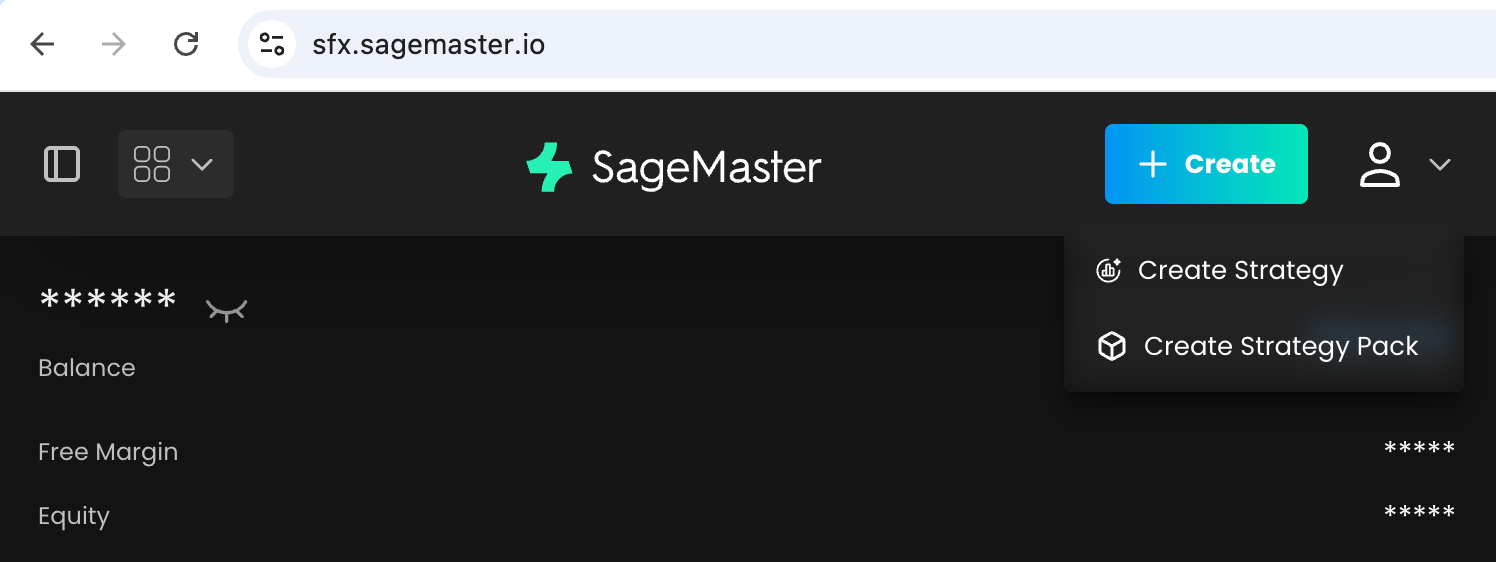
1. Build your own packs and adjust existing ones
What's new: You can now create your own Strategy Packs with a custom name, description, broker account selection, allocation setup, strategy selection, draft saving, activation, and backtesting. You can also edit both your own packs and those started from admin-curated presets.
Why it matters: You have more freedom to organize strategies around your own setup instead of working around a fixed structure.
2. More freedom when you start from an admin-curated preset
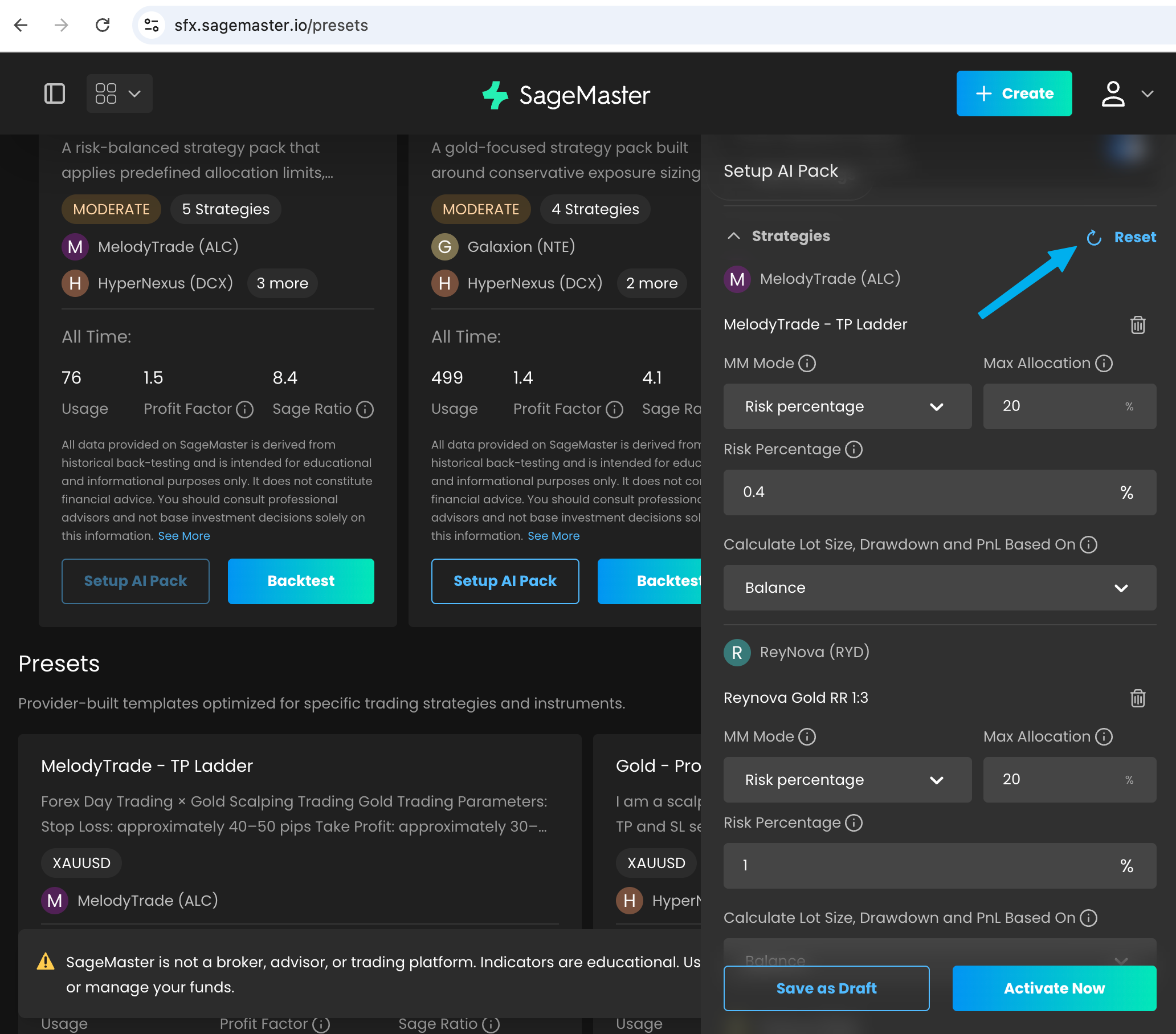
What's new: If you start from an admin-curated preset on the Presets page, you can now remove strategies, add new ones, and use Restore to return to the original preset setup.
Why it matters: You can explore different combinations without losing the original version you started from.
3. Clearer limits before you try to run a pack
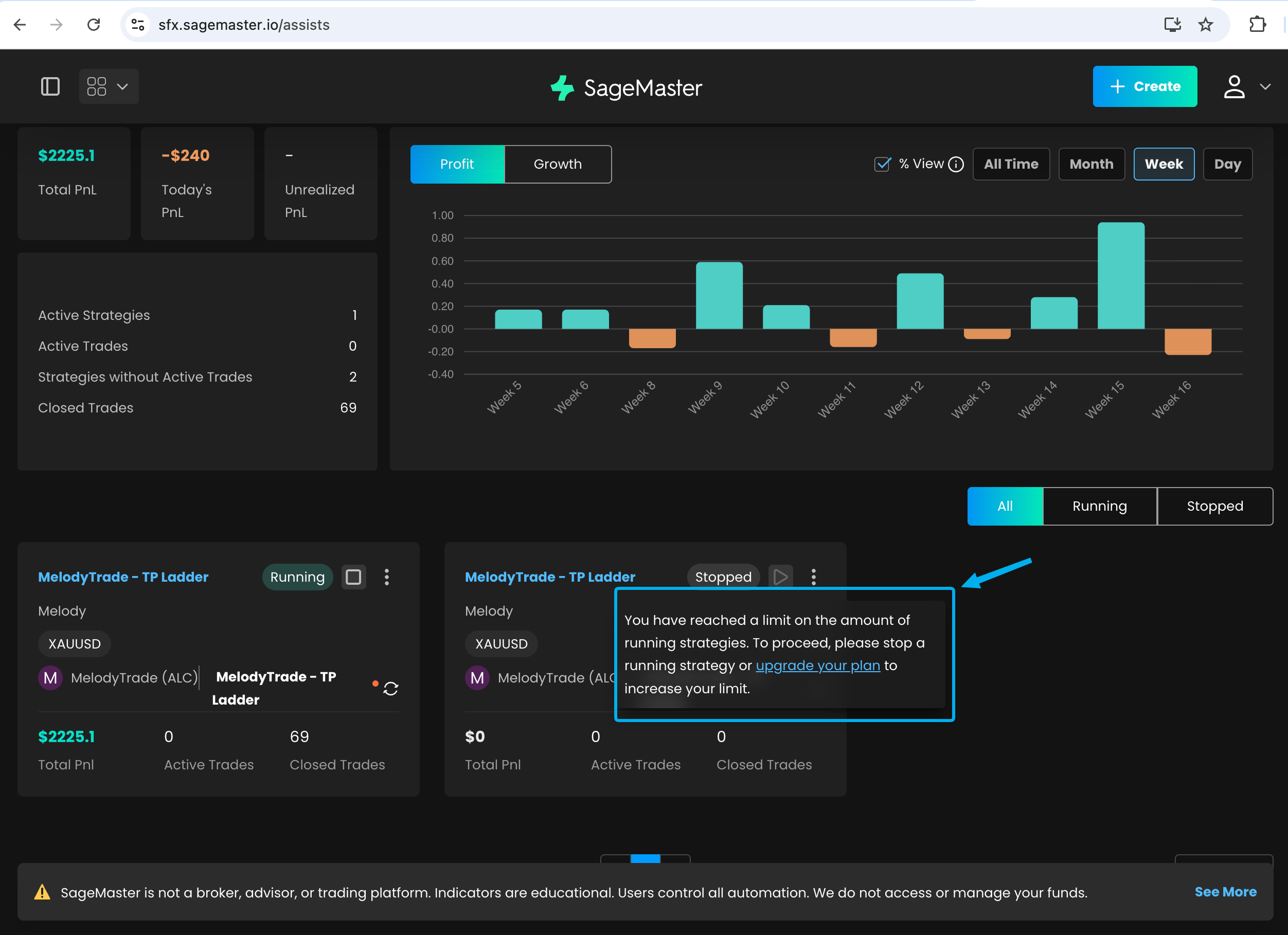
What's new: Strategies inside a pack are now counted toward your total running strategy limit. If starting a pack would take you beyond your available slots, you'll now see a clearer system notification.
Why it matters: You can understand sooner how your current subscription affects what you can run, and plan your active strategies more easily.
4. Better visibility into allocation and strategy status
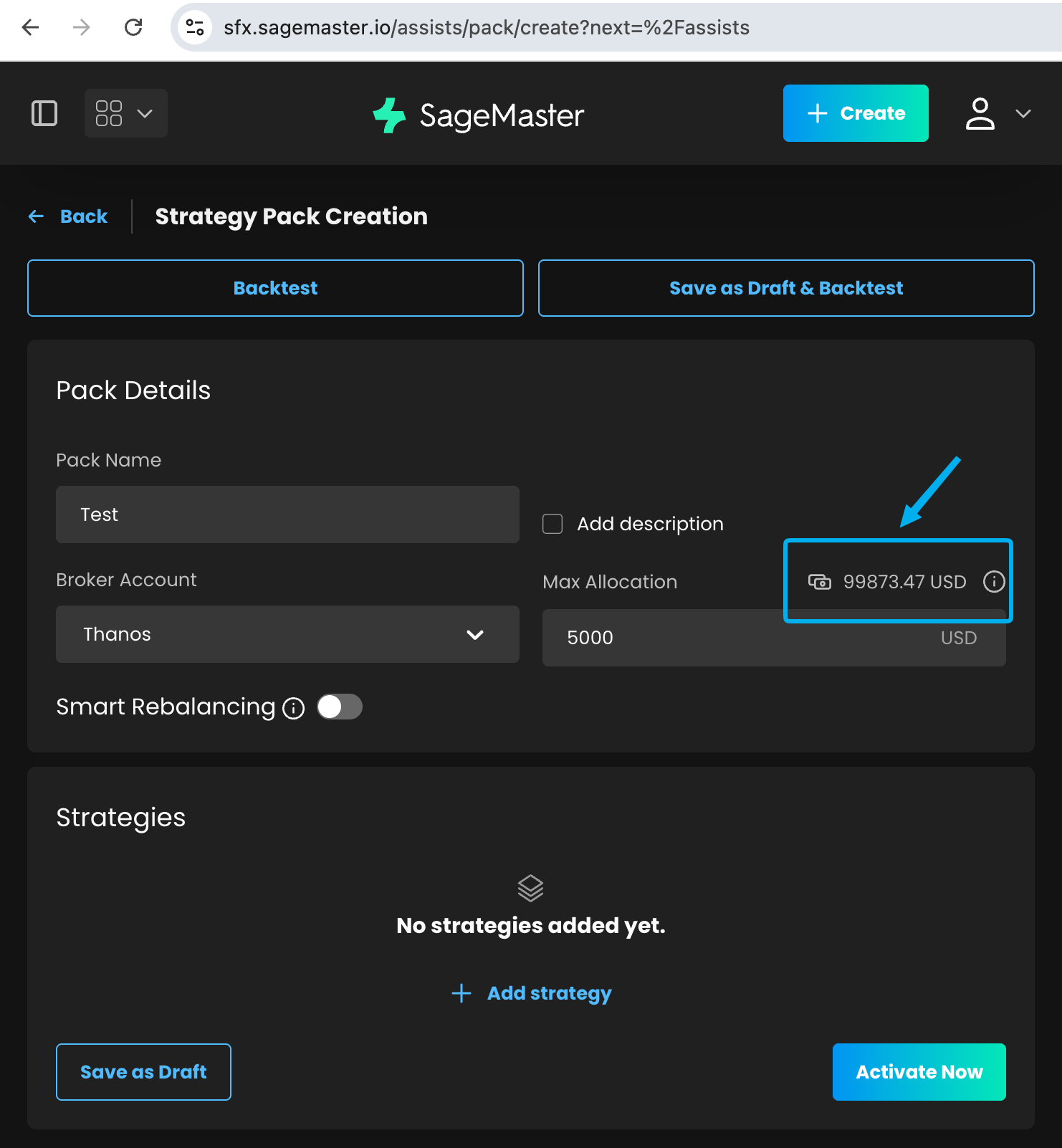
What's new: You can now see the available balance for the selected broker account when you start from an admin-curated preset or create your own pack. We also improved status visibility so when a pack is stopped, the strategies inside it show that they are not running in that pack.
Why it matters: It's easier to line up allocation with the funds available in your account and understand why included strategies are inactive.
5. Your broker account stays fixed after strategy creation
What's new: Once you create a strategy, its connected broker account can no longer be changed. You still choose the broker account during setup, but after that the connection stays fixed.
Why it matters: This makes your setup more predictable and avoids confusion later if you revisit or reuse a strategy.
What's Next
We're already working on the next set of improvements, including stronger setup validation for presets and packs, a dedicated way to clone a strategy into a new setup, the ability to start a pack directly from a backtest result, and more Magic Terminal usability improvements, including full-screen behavior and a simpler order form.
Read more:
Improved Setup Checks for Presets and Packs
Clone a Strategy Into a New Setup
Start a Pack From Backtest Results
Better Full-Screen Trading in Magic Terminal
A Simpler Magic Terminal Order Form
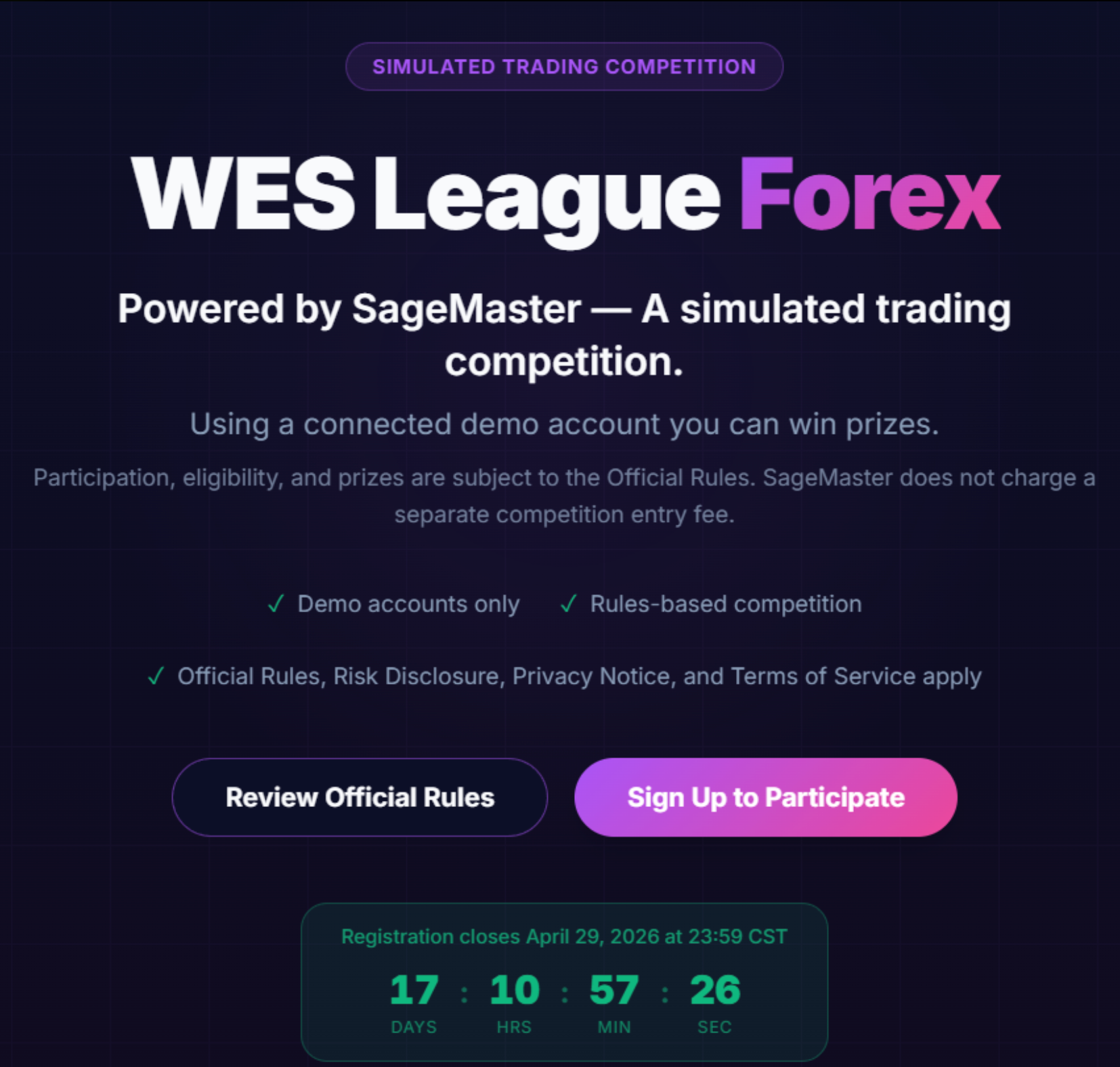
WES League registration is now open
Registration for the WES League Forex is now open. This official trading challenge powered by SageMaster starts on April 29 and is run on demo accounts, with rankings based on performance, consistency, and risk management.
Before you join, please review the rules carefully: https://www.notion.so/1billion/Wes-League-Rules-Condistions-33eae3f74f4e8031a11de0215b18555d?source=copy_link
You can secure your spot here: https://league.sagemaster.com/
Thank you for choosing SFX! Enjoy our latest features and stay tuned for more updates.