May 7th, 2026
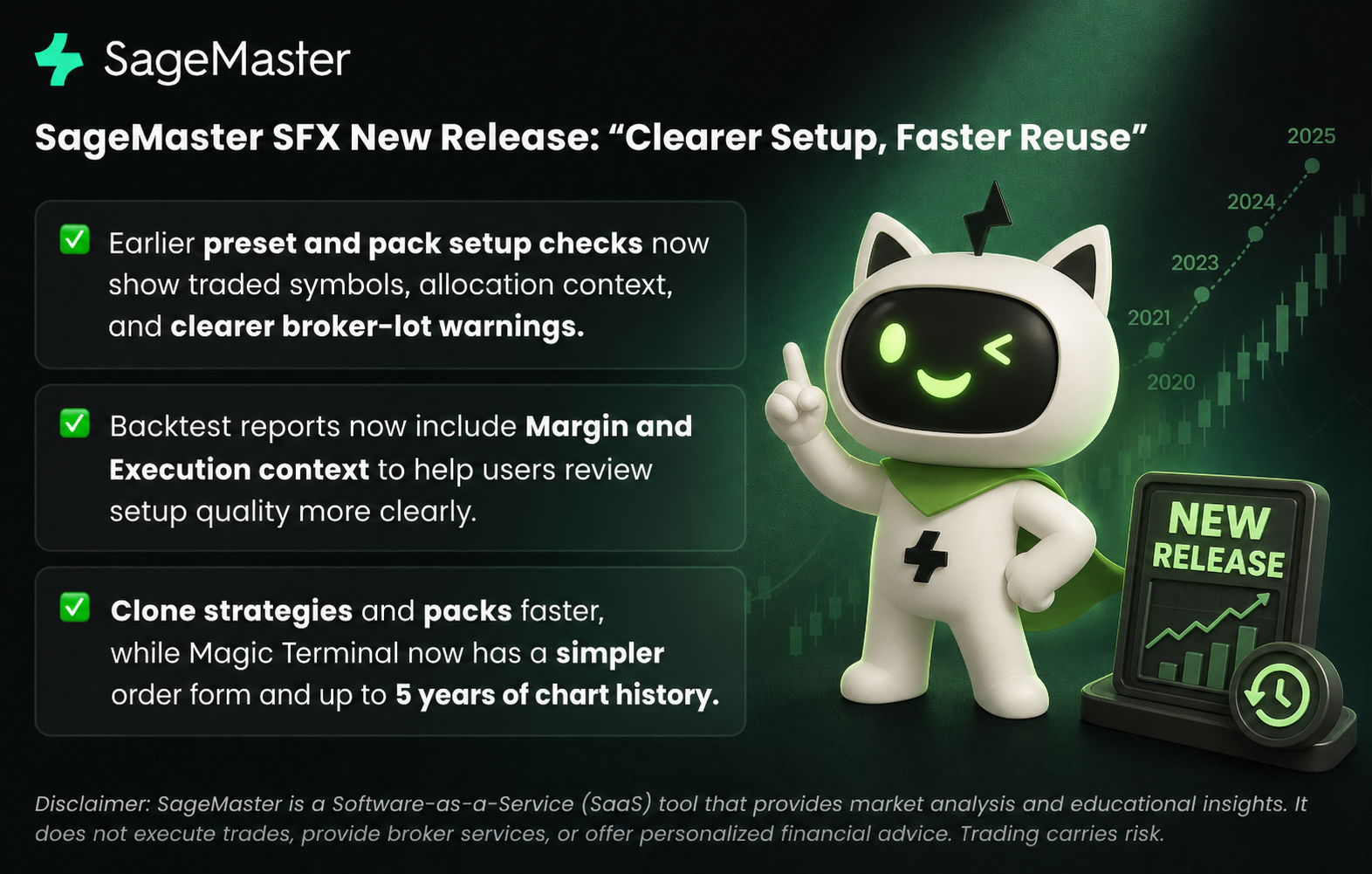
Clearer Setup, Faster Reuse
SageMaster is a Software-as-a-Service (SaaS) tool that provides market analysis and educational insights. It does not execute trades, provide broker services, or offer personalized financial advice. All trading decisions remain with the user, and outcomes are not guaranteed. Trading carries risk, including the potential loss of capital.
This release focuses on a few of the moments where setup friction tends to appear most often: when you use a preset or pack, when you reuse an existing setup, and when you manage manual trades in Magic Terminal. You now get earlier validation, clearer execution context, and a simpler way to carry existing work into a new setup.
1. Earlier setup checks for presets and packs
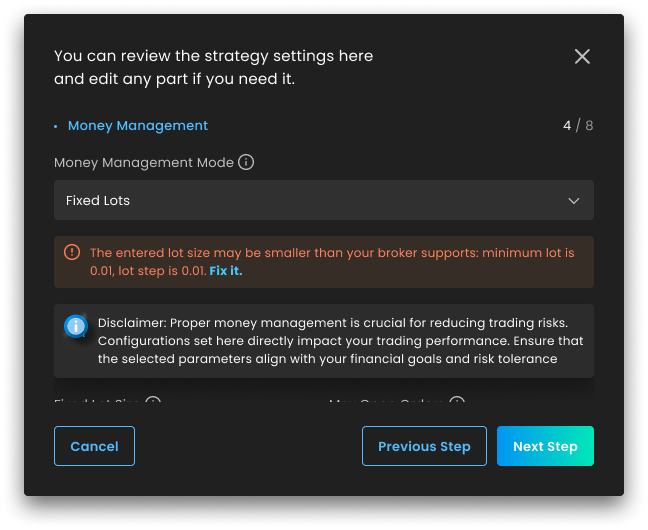
What's new: When you set up an AI pack or use a preset, SageMaster now surfaces traded symbols and allocation context earlier in the flow. The platform also warns sooner when a fixed lot size does not match your broker's minimum lot or lot-step requirements.
Why it matters: Users previously had to discover some of these conflicts only after activation, through failed trades or event logs. Seeing symbol coverage, allocation context, and broker-lot warnings earlier makes setup clearer before you save or launch anything.
2. Better visibility when risk-based sizing may not fit broker limits
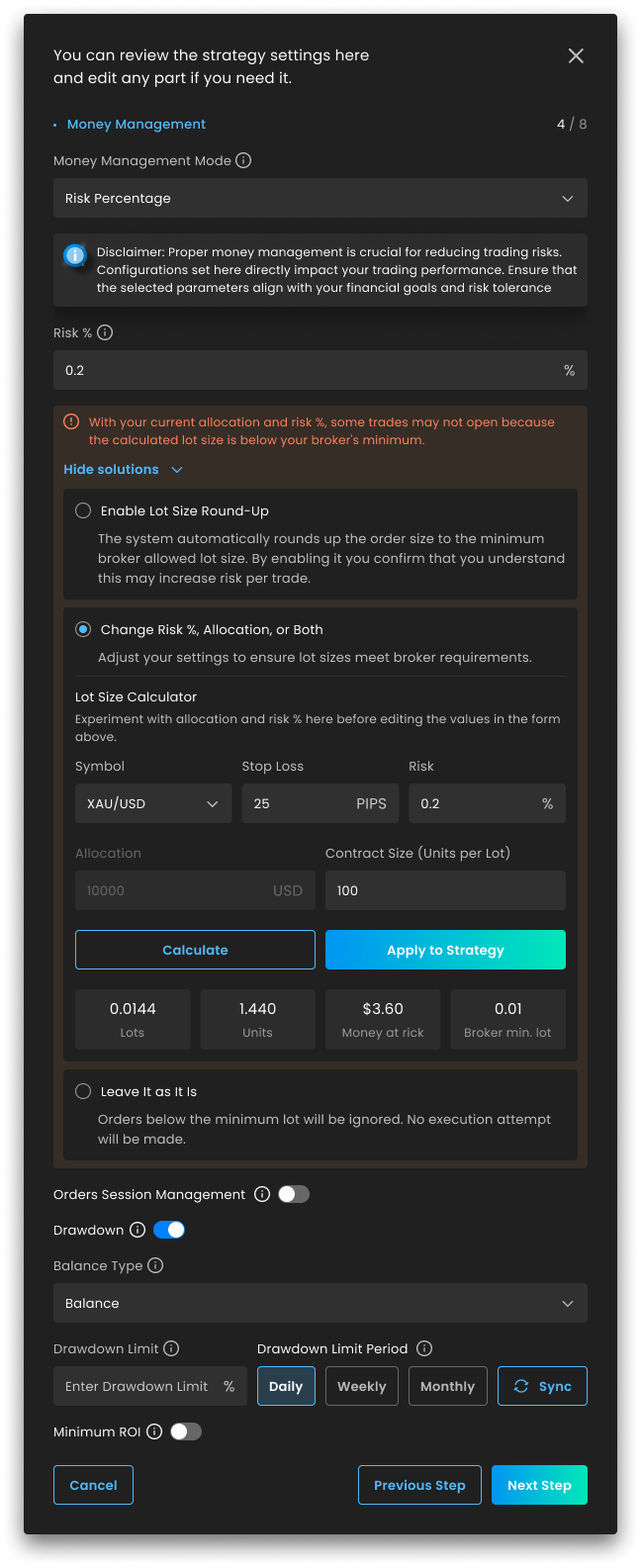
What's new: For risk-percent setups, SageMaster now makes it easier to spot when the calculated lot may fall below broker minimums and review the available setup adjustments before activation. It also gives users clearer context when saving updated sizing choices back into the strategy configuration.
Why it matters: Risk-based sizing depends on several variables, including allocation, stop loss distance, symbol behavior, and broker constraints. Bringing that feedback into the setup flow reduces guesswork and helps users review those trade-offs before live execution starts.
3. Backtest reports now include margin and execution context
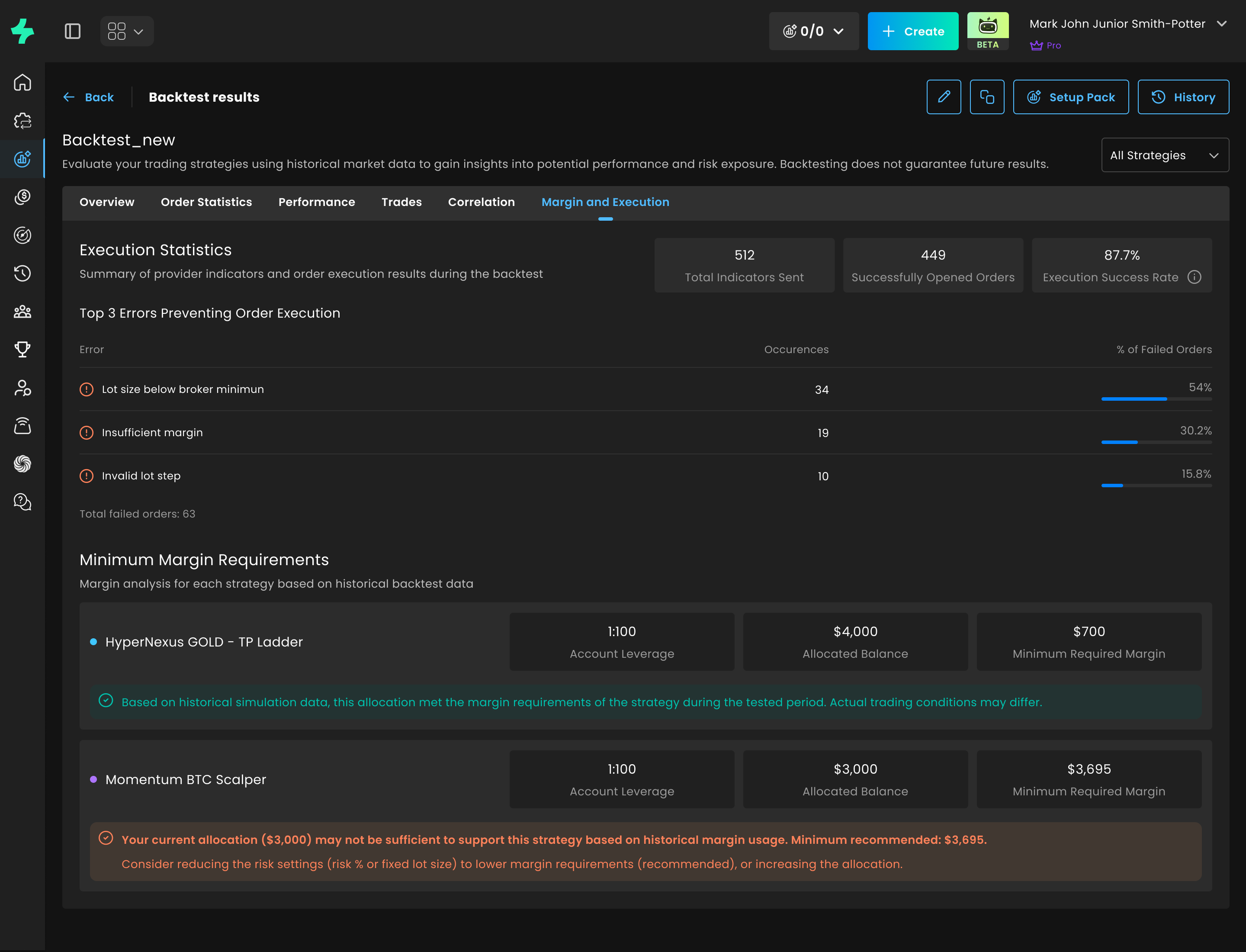
What's new: Backtest reports now include a Margin and Execution section with execution-focused statistics such as total indicators sent, successfully opened orders, execution success rate, top execution errors, and historical allocation sufficiency context.
Why it matters: This gives users a clearer way to understand whether weak execution came from setup limits or margin pressure, instead of treating the strategy itself as the only variable in the result.
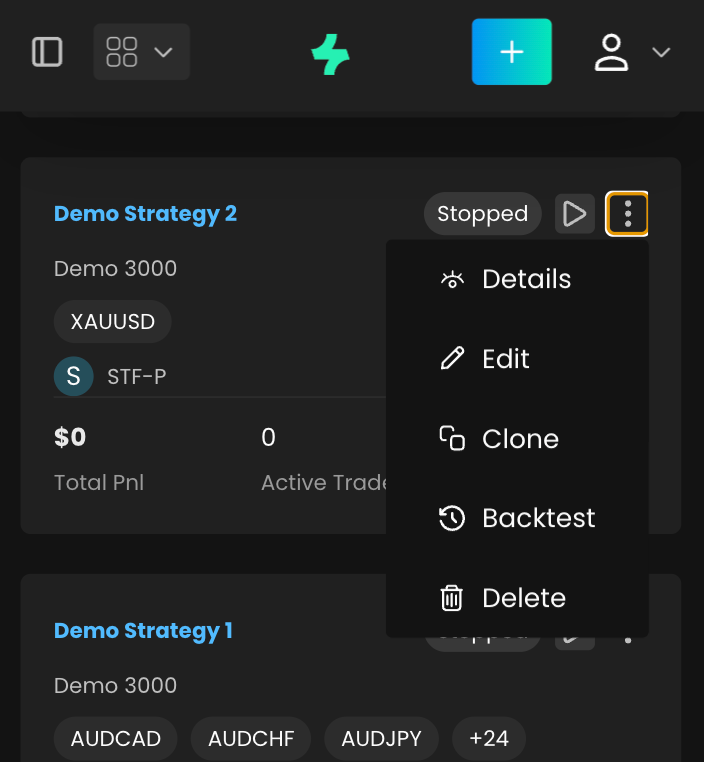
4. Clone a strategy or pack into a new setup
What's new: You can now clone an existing strategy from the dashboard or strategy details view and open the Strategy Creation Wizard with the original setup prefilled. This release also supports cloning a strategy pack, so users can reuse an existing setup without rebuilding it from scratch.
Why it matters: Reusing a proven setup now takes fewer manual steps. Users can start from what already exists, make targeted changes, and launch faster without re-entering every configuration field.
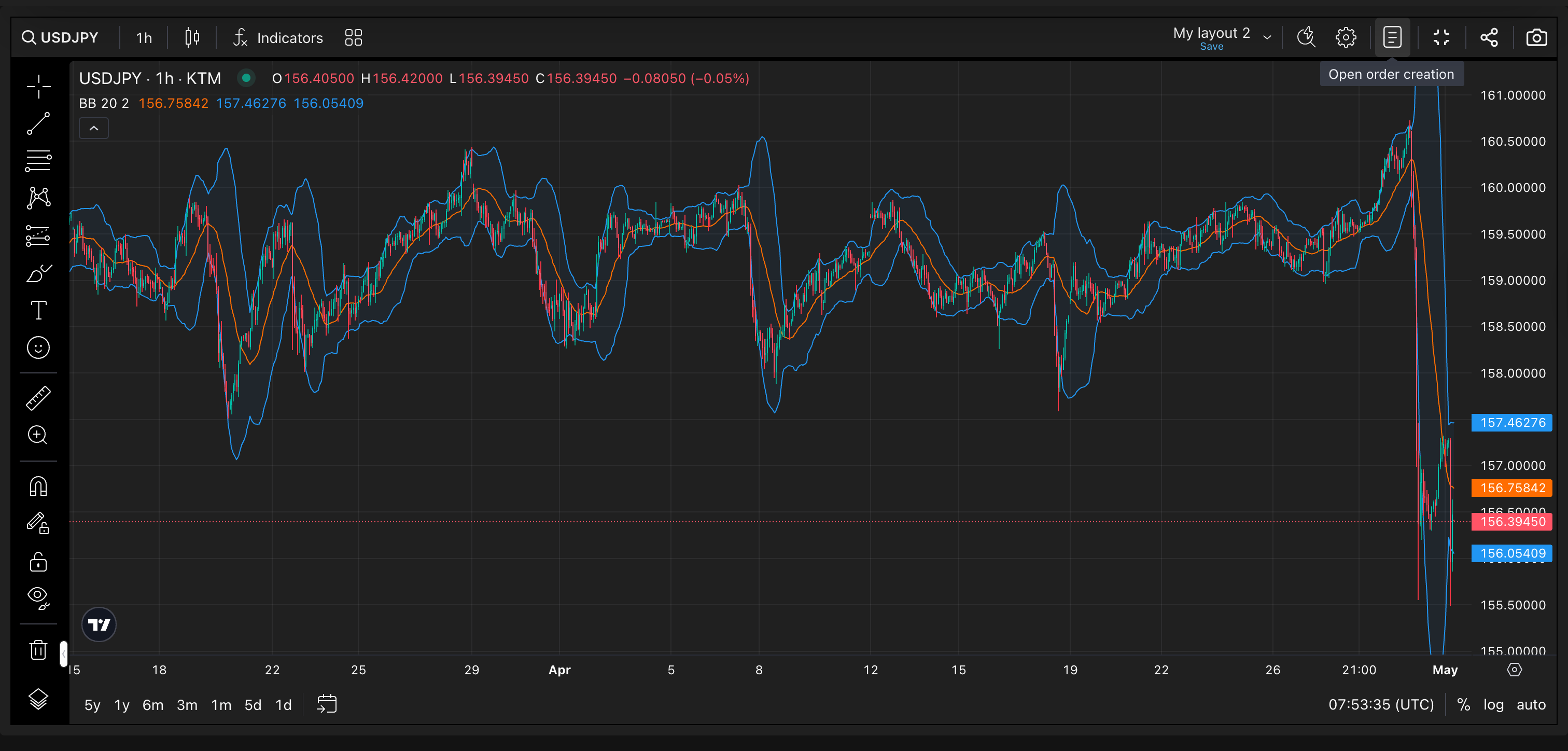
5. Better full-screen control in Magic Terminal
What's new: In Magic Terminal full-screen mode, the order creation form now has clearer open and close behavior, including tooltip updates that reflect the current panel state.
Why it matters: This makes it easier to switch between chart-focused work and order-entry actions without losing track of whether the order form is open, while keeping more usable space available on the chart.
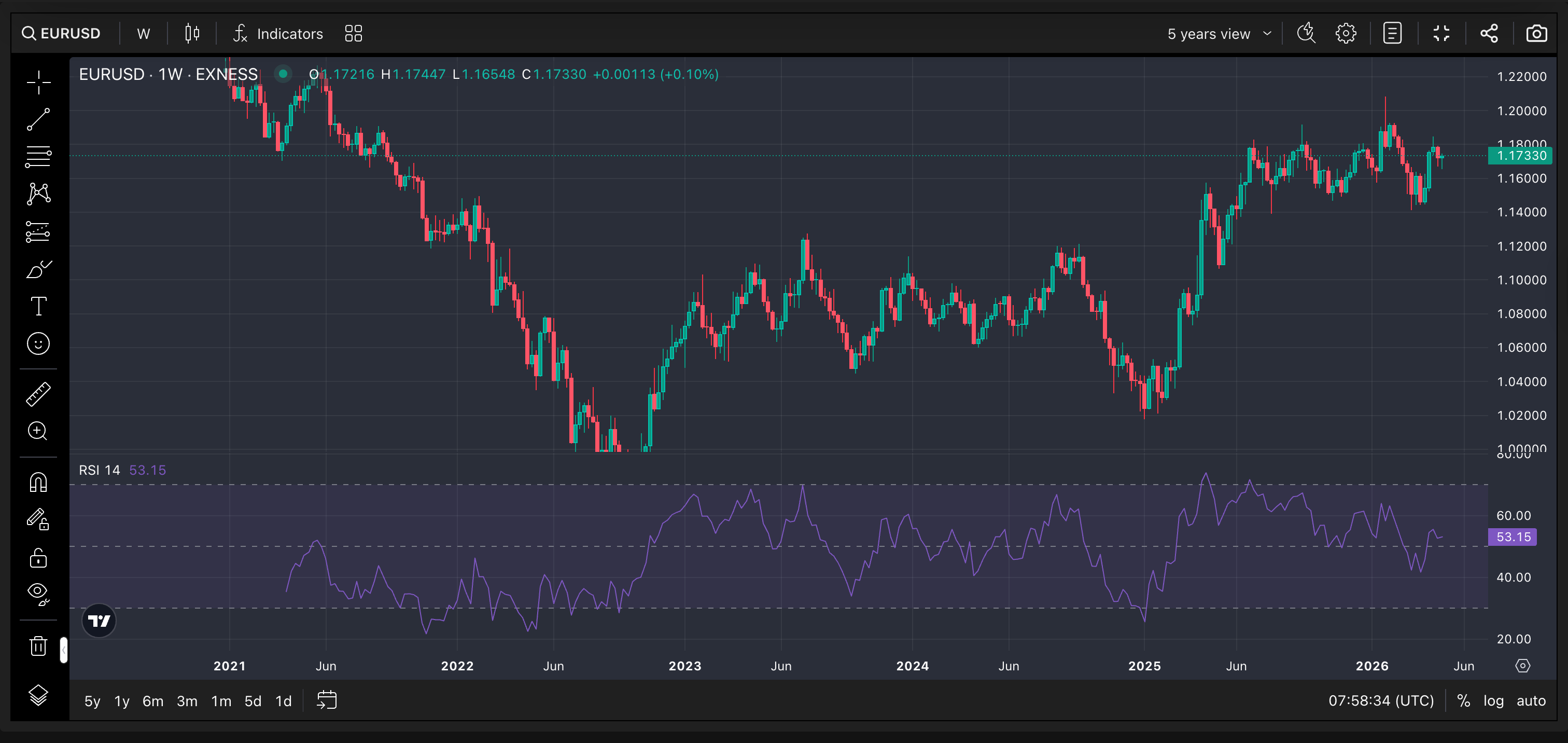
6. A simpler Magic Terminal order form and deeper chart history
What's new: The Magic Terminal order form has been simplified with a cleaner layout and clearer Stop Loss and Take Profit guidance for manual trades. The chart now also provides up to five years of historical data for review directly inside Magic Terminal.
Why it matters: Manual order setup is easier to scan, and users now have more historical market context available on the chart without needing to leave the trading view.
7. New provider available on the Marketplace
What's new: A new provider, Black Pips, is now published on the Marketplace. Black Pips specializes in Forex intraday trading and offers a preset built around a structured 1:1 risk-reward approach, with clear setup rules, disciplined execution criteria, and defined risk-management parameters.
Why it matters: You can now review and activate the Black Pips preset from the Marketplace if it fits your trading workflow. As always, trading involves risk, and results may vary depending on market conditions, broker execution, spread, slippage, and individual account settings.
Thank you for choosing SFX! Enjoy our latest features and stay tuned for more updates.